How to Track Towing Trucks in Real Time with GPS Tracking

How to Track Towing Trucks in Real Time with GPS Tracking

Published date: Last modified on:

By: Ryan Horban


Key Takeaways

5 things to know about real-time GPS tracking for tow trucks
  • 01

    GPS tracking shows every tow truck location in real time from a single dispatch dashboard.

  • 02

    Faster dispatching reduces customer wait times and improves overall roadside service response rates.

  • 03

    Hardwired GPS trackers work best for recovery trucks needing continuous power and PTO monitoring.

  • 04

    Geofencing alerts help towing companies prevent theft and catch unauthorized vehicle use instantly.

  • 05

    Driver behaviour monitoring improves road safety and reduces fuel and maintenance operating costs.

Need to track and protect your tow trucks 24/7 with a kill switch? Tracking System Direct Hardwired GPS Tracker lets you monitor every truck live and remotely disable any vehicle instantly, ships today.
Secure My Trucks Now →

How to Track Tow Trucks and Recovery Vehicles from One Dashboard

How do you track towing trucks in real time? If you're asking that question, chances are you're trying to get better visibility into your operation. Maybe dispatch slows down, customers keep asking for updates, and simple questions like "Who's closest?" or "How long until the driver arrives?" suddenly take far longer to answer than they should.

The good news is that tracking a towing truck in real time is much easier than most people think. With the right GPS tracking system, you can see every vehicle on a live map, monitor driver activity, provide accurate ETAs, and respond to service calls faster.

I've worked with towing companies that went from constantly calling drivers for updates to managing everything from a single dashboard. Once you have real-time visibility, decisions become faster and day-to-day operations become much easier to manage.

In this guide, I'll show you exactly how to track towing and recovery trucks in real time, choose the right GPS tracker, set up your system, and use the data to improve dispatching, driver accountability, and fleet performance.

Let's start with what real-time GPS tracking actually does for a tow truck fleet.

Recommended for This Guide

Hardwire It. Track Every Truck. Kill the Engine Remotely.

★★★★★ 4.8 / 5 · Trusted by Towing Fleets Across the US · Remote Kill Switch

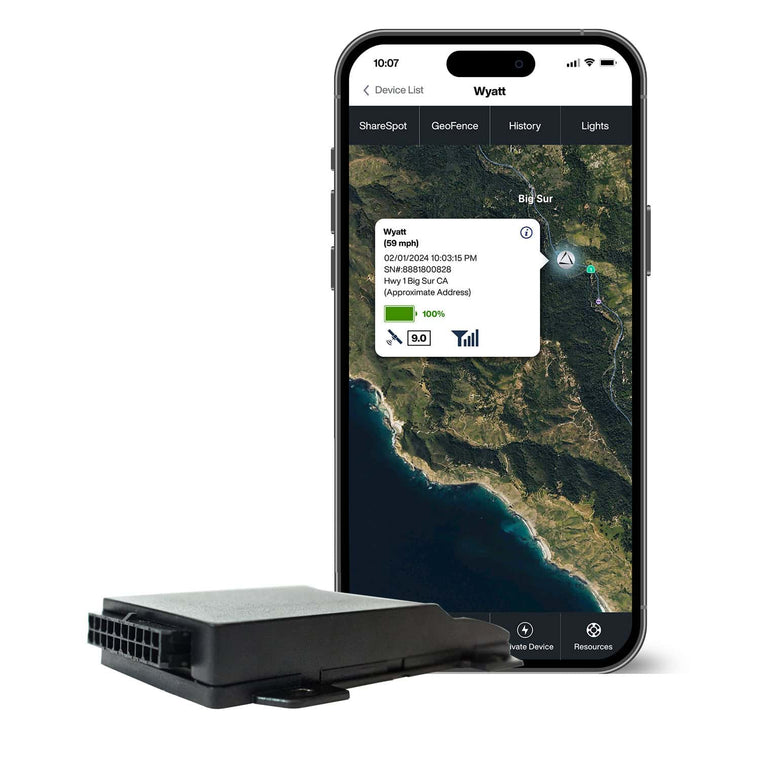
Hardwire into any tow truck, wrecker, or flatbed for continuous real-time GPS tracking, then disable any vehicle instantly from your phone if it goes off-route or gets stolen.

Hardwired, no battery needed 3-sec live updates Remote kill switch Driving behavior monitoring Geofence alerts
Quick Answer

To track towing and recovery trucks in real time, install a GPS tracking device on each truck, connect it to a cloud-based fleet management platform, and monitor every vehicle from a live map dashboard. Modern tow truck GPS tracking systems use GPS satellites, cellular networks, and cloud software to provide real-time location tracking, vehicle status updates, route history, and driver activity from virtually anywhere.

What Does Real-Time GPS Tracking Actually Do for a Tow Truck Fleet?

Real-time tow truck GPS tracking gives dispatchers a live view of every vehicle in the fleet, helping them make faster decisions and respond to service calls more efficiently. A GPS tracker installed in the truck calculates its location using satellites and transmits that data through a cellular network to a cloud-based tracking system. From a live map dashboard, dispatchers can monitor vehicle locations, driver activity, and fleet operations from a desktop computer or mobile app.

What Does Real-Time GPS Tracking Actually Do for a Tow Truck Fleet?Once everything is connected, you can monitor:

  • Real-time location tracking, vehicle speed, and route history.
  • Driver behavior, including speeding, harsh braking, and excessive idling.
  • Geofencing alerts for unauthorized vehicle use and after-hours movement.
  • Vehicle maintenance reminders and fleet performance reports.
  • Fuel usage, service call progress, and estimated arrival times.

Most towing company owners start with GPS fleet tracking because they want better dispatch visibility. What often surprises them is how many other areas improve once accurate data becomes available. Fuel consumption becomes easier to manage. Customer satisfaction improves because dispatchers can provide accurate ETAs. Unauthorized activity becomes much easier to spot.

One towing operator I worked with summed it up well after rolling out GPS tracking across his fleet: "We stopped asking drivers where they were."

That change alone freed up dispatchers to focus more on customers and less on tracking trucks.

Which GPS Setup Fits Your Tow Truck Fleet?

The right GPS setup depends on the vehicles and assets you're tracking. One mistake I see regularly is using the same tracking device across an entire fleet when a heavy recovery truck, a light-duty tow truck, and a trailer all have very different requirements.

Types of GPS Tracking Devices for Tow Trucks
GPS Tracker Type Best For Key Advantage
Hardwired GPS Tracker Heavy wreckers, recovery trucks, flatbeds Continuous power, PTO monitoring, and reliable real-time tracking
OBD-II GPS Tracker Light-duty tow trucks and service vehicles Fast installation and lower upfront cost
Battery-Powered GPS Tracker Trailers, dollies, and equipment GPS asset tracking without vehicle power
GPS Tracker with AI Dash Cam Any tow truck fleet Driver behavior monitoring and video evidence

For most towing companies, a combination of GPS tracking devices delivers the best results. Heavy recovery trucks typically benefit from hardwired trackers, while lighter tow trucks often work well with OBD-II devices. Trailers and equipment are usually better served by battery-powered asset trackers. Once you understand the different types of GPS trackers available, the steps start with choosing the right one for each vehicle in your operation.

Buyer's Guide

Every business has different tracking needs. If you're still comparing options, check out our guide on How to Choose the Right GPS Tracker for Your Business for a deeper look at selecting the right solution.

Read Guide

Step 1: How to Choose the Right GPS Tracker for Each Truck?

The best GPS tracker for a tow truck depends on the type of vehicle you're tracking and the level of visibility you need. Choose a GPS tracker based on the job the vehicle performs, not simply the purchase price or installation method.

How to Choose the Right GPS Tracker for Each Truck?

Once you've narrowed down the type of GPS tracker you need, the next step is matching it to the vehicle's role in your operation. One mistake I see regularly is towing companies choosing the same tracking device for every truck and asset. A heavy recovery truck, a roadside assistance vehicle, and an equipment trailer all serve different purposes, so their tracking needs aren't always the same.

1.1 When Should You Choose a Hardwired GPS Tracker?

If you're tracking heavy wreckers, rotators, or full-size recovery trucks, a hardwired GPS tracker is usually the best option.

Because it's connected directly to the vehicle's electrical system, it provides continuous power and supports advanced fleet management features such as PTO monitoring. In my experience, these trackers make the most sense for trucks that generate a large portion of your revenue and require dependable reporting throughout the day.

Best for Heavy Wreckers, Rotators & Full-Size Recovery Trucks

Hardwire It. Track It Live. Shut It Down Remotely.

★★★★★ 4.5 / 5 · Based in USA, Free Tech Support · Remote Kill Switch

Wire directly into any recovery truck or wrecker for continuous real-time GPS tracking, then remotely disable the engine from your phone the moment a vehicle is stolen, misused, or goes off-route.

Hardwired, always on Remote starter disable Real-time GPS tracking Tamperproof design

1.2 When Does an OBD-II GPS Tracker Make Sense?

OBD-II GPS trackers are often a good fit for light-duty tow trucks and roadside assistance vehicles handling battery jump starts, tire changes, and lockout calls.

They install quickly and provide the real-time location tracking, route history, and driver behavior monitoring most towing companies need. For growing fleets looking to deploy GPS tracking across multiple vehicles, they're often the fastest way to get started.

Best for Light-Duty Tow Trucks & Roadside Service Vehicles

Plug In. Start Tracking. No Wiring. No Downtime.

★★★★★ 4.7 / 5 · Best OBD2 GPS Tracker · Plug & Play

Plug directly into any OBD-II port and start tracking your service vehicles in seconds, real-time location every 3 seconds, geofence alerts, trip history, and driver behavior monitoring all included.

OBD-II plug-and-play 3-sec live updates Geofence & speed alerts Fleet & personal use

1.3 When Should You Choose a Battery Powered GPS Tracker?

Battery-powered GPS asset tracking devices help monitor these assets from the same tracking platform, making them useful for equipment tracking, theft prevention, and asset protection. Many towing companies don't think about tracking equipment until something goes missing, but adding visibility beforehand is usually far less expensive than replacing it later.

Best for Light-Duty Tow Trucks & Service Vehicles

Stick It. Hide It. Track Any Truck in Real Time.

★★★★★ 4.8 / 5 · #1 Rated Mini GPS Tracker 2026 · Magnetic & Hidden

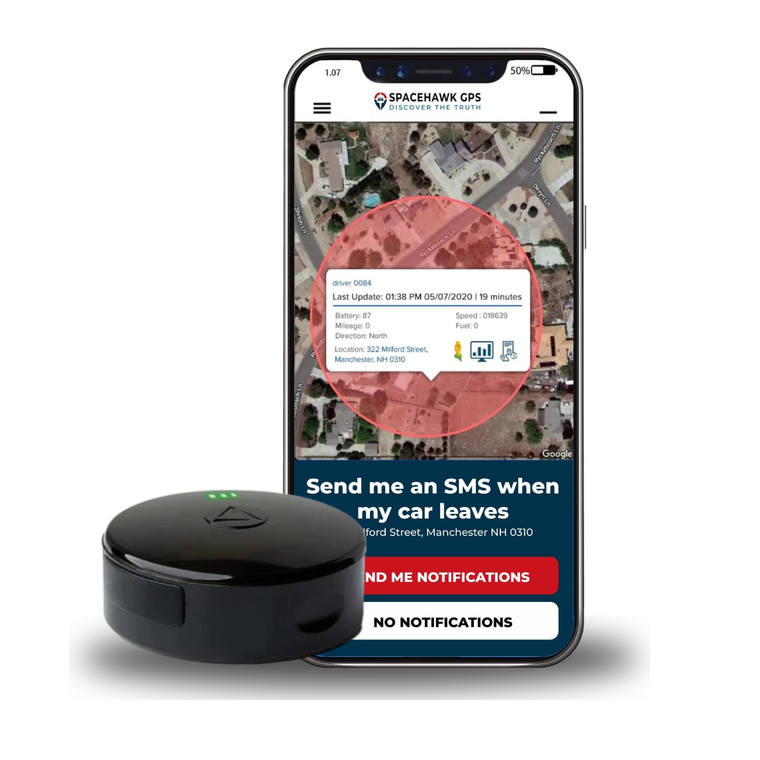
Snap SpaceHawk under any tow truck, trailer, or equipment in seconds, no wiring, no tools, no downtime. Live updates every 3 seconds with geofence alerts and full trip history.

Magnetic hidden mount 3-sec live updates Geofence alerts Vehicles & equipment iOS & Android app

1.4 Should You Add an AI Dash Cam?

For many fleets, it's worth considering.

Modern GPS tracking solutions can combine real-time location tracking, driver behavior monitoring, and video footage within a single platform. That gives managers additional visibility into speeding activity, harsh braking, customer disputes, and accident investigations while also helping promote safer driving habits.

Best for Any Tow Truck Fleet, Driver Monitoring & Video Evidence

Record Every Trip. See Every Incident. Protect Your Fleet.

★★★★★ 4.8 / 5 · Free Tech Support · Dual Camera + GPS

Dual-camera dash cam with built-in GPS tracking, record live video, log every route, and capture event footage automatically during hard braking, impacts, and speeding incidents on every tow truck run.

Dual front & rear camera Live video streaming GPS route logging Event-triggered recording

My recommendation is simple: choose the tracker that best fits the job each vehicle performs. The goal isn't to collect more data. It's to collect the right data that helps you run a safer, more efficient towing operation.

Step 2: How to Install GPS Tracker on a Tow Truck

Installing a GPS tracker is usually much easier than most towing company owners expect. In many cases, you can have a truck, trailer, or piece of equipment reporting real-time location data the same day it's installed. The installation process depends on the type of GPS tracking device you're using.

2.1 Installing a Hardwired GPS Tracker

How to Install GPS Tracker on a Tow Truck (Hardwired GPS Tracker Installation)

Hardwired GPS trackers take a little longer to install, but they provide continuous power, more reliable reporting, and support advanced features such as PTO monitoring.

  • Connect the GPS tracker to a constant power source so it continues reporting even when the truck is turned off.
  • Mount the device in a protected location behind the dashboard, under a seat, or another concealed area to reduce tampering and protect the hardware.
  • Position the GPS and cellular antenna where it can receive a strong signal without interference from large metal surfaces.
  • Test the device inside the fleet management platform and confirm it's transmitting location data, vehicle activity, and other tracking information correctly.

If you're installing a hardwired unit on a heavy wrecker, rotator, or recovery truck, professional installation is often worth the investment to ensure long-term reliability.

Step-by-Step Guide

Need more detailed installation instructions? Check out our GPS Tracking Installation Guide: How To Hardwire A GPS Tracker To A Car for a step-by-step walkthrough of the hardwiring process and installation best practices.

Read Guide

2.2 Installing an OBD-II GPS Tracker

Installing an OBD-II GPS tracker is about as simple as it gets. Locate the vehicle's OBD-II port under the dashboard, plug in the tracker, and allow it to connect to the cellular network. Once the device powers up, log into the tracking platform and confirm the truck's location appears on the live map. For many light-duty tow trucks and roadside assistance vehicles, this is the quickest way to start collecting real-time location data, route history, and vehicle activity without taking trucks out of service for long.

2.3 Installing a Battery-Powered GPS Tracker

Battery-powered GPS trackers are often the easiest devices to install. Most units use a strong magnetic mount, allowing you to attach the tracker directly to a metal surface on a trailer, dolly, generator, or other asset in seconds.

After securing the device, activate it, confirm the tracking settings, and verify that the first location update appears on the live map. Because these trackers are designed for GPS asset tracking, they typically use longer reporting intervals to maximize battery life while still providing reliable location tracking and asset protection.

nstalling a Battery-Powered GPS Tracker to track a Towing Truck

2.4 Activating the Tracking System

Once the hardware is installed, getting the system up and running only takes a few minutes:

  • Add the vehicle or asset to the GPS tracking platform and assign a driver if needed.
  • Confirm communication between the tracking device and the software to ensure data is being transmitted properly.
  • Verify the first location update appears on the live map and matches the vehicle's current location.
  • Check key settings such as reporting intervals, geofencing alerts, and user permissions before deploying the vehicle.

At that point, your GPS tracking system is collecting real-time location data, route history, and vehicle activity. The next step is configuring the software so dispatchers can turn that information into faster response times, better fleet visibility, and more efficient daily operations. Once your GPS trackers are installed, the next step is configuring the software.

At this point GPS fleet tracking starts delivering real value for dispatch, fleet management, and daily operations.

Step 3: How to Set Up Your Live Map and Fleet Software?

Setting up your live map and fleet software starts with three things: labeling every vehicle clearly, assigning drivers to each unit, and configuring geofence alerts around your yard and key locations. Everything else builds from there. Many towing companies install the hardware but never fully set up the platform. In my experience, that's where most of the missed opportunities come from.

Here's how to do it right.

How to Set Up Your Live Map and Fleet Software?

3.1 Label Every Vehicle Clearly & Assign Drivers

Start by naming each vehicle using labels that dispatchers can identify instantly, such as "Flatbed 1," "Wrecker 3," or "Heavy Recovery." Clear vehicle names make dispatching faster and help eliminate confusion during busy service periods.

Next, assign drivers to their trucks inside the tracking platform.  This allows the system to connect route history, driver behavior monitoring, speeding activity, and other reports to the correct operator instead of just the vehicle.

3.2 Set Up Geofencing and Alerts

Once vehicles and drivers are configured, create geofences around your yard, storage lot, and other important locations. Geofencing lets you draw virtual boundaries around your yard, impound lot, storage facility, or service area. When any vehicle crosses those lines, the system notifies you automatically.

I usually recommend starting with a few core alerts:

  • After-hours vehicle movement
  • Geofence entry and exit notifications
  • Speeding and unsafe driving alerts

These real-time alerts help improve asset protection, reduce unauthorized vehicle use, and provide better visibility into daily operations.

3.3 From Tracking Tool to Operational Platform

Once your live map, alerts, and geofences are configured, your live map becomes much more than a screen showing vehicle locations. GPS tracking becomes a full operational platform supporting dispatch, safety, maintenance, and customer service, simultaneously. And that foundation leads directly to one of the most immediate benefits towing companies notice: faster dispatching and more accurate arrival times.

Step 4: How Do You Dispatch Faster and Give Better ETAs?

Use real-time GPS tracking to identify the closest available truck, assign service calls faster, and provide accurate estimated arrival times.

Instead of calling multiple drivers to find out who's available and where they're located, dispatchers can see every truck's real-time location on a live map and make decisions in seconds. For many towing companies, this is where GPS fleet tracking delivers its fastest return because it removes guesswork from the dispatch process and helps get the right truck to the customer sooner.

How Do You Dispatch Faster and Give Better ETAs?

4.1 How Faster Dispatch Works

With real-time tow truck tracking, dispatch becomes much more straightforward. When a service call comes in, the dispatcher can immediately see the customer's location, identify the closest available truck on the live map, and send the job directly to the driver's mobile app.

In many towing operations, that entire process takes less than two minutes. That speed can make a noticeable difference in an industry where response times affect customer satisfaction, motor club performance, and contract retention. GPS tracking also helps reduce customer wait times by improving vehicle visibility and supporting faster dispatch decisions.

4.2 Providing Better ETAs

Accurate estimated arrival times are just as important as fast dispatching.

When someone is waiting for emergency towing, a flat tire service, or a battery jump start, they want a clear answer. By combining real-time location tracking, live traffic conditions, and route optimization, dispatchers can provide more accurate ETAs instead of broad arrival windows.

Instead of saying, "We'll be there as soon as possible," you can say, "Your driver is 16 minutes away and heading to your location now." That level of visibility builds trust, reduces customer follow-up calls, and creates a better service experience from the initial call to the completed job.

Once dispatching becomes more efficient, many towing companies start focusing on another area where GPS tracking delivers value every day: driver safety and driver behavior monitoring.

Go Deeper

Want to improve response times even further? Check out our guide on How to Optimize Delivery Routes with GPS Tracking to learn how route optimization and live traffic data can help reduce delays and improve fleet efficiency.

Read Guide

Step 5: How Do You Monitor Driver Behavior Across Your Fleet?

GPS tracking systems can monitor driver behavior in real time, helping towing companies improve driver safety, reduce fuel consumption, and identify habits that affect overall fleet performance. Most fleet owners initially focus on dispatching and vehicle tracking. That's usually where the quickest wins appear. A few months later, many realize the driver behavior data is just as valuable because it reveals what's happening behind the wheel every day.

How Do You Monitor Driver Behavior Across Your Fleet?

5.1 What Can GPS Tracking Show You?

Modern GPS fleet tracking systems can identify:

  • Speeding activity and other unsafe driving behaviors.
  • Excessive idling that wastes fuel and increases operating costs.
  • Route deviations and unauthorized vehicle use.

Many platforms can also track harsh braking, rapid acceleration, and long-term driver safety trends across the fleet.

I've worked with towing companies that assumed rising fuel costs were simply the result of handling more service calls. Once we reviewed the reporting tools, the real issue turned out to be excessive idling and inefficient driving habits from a small number of vehicles. The data changed the conversation immediately.

5.2 Use Data for Coaching, Not Surveillance

The goal is to create visibility, not to watch every move your drivers make. When coaching is based on actual driving data instead of assumptions, discussions tend to be more productive. Drivers can see specific examples, understand where improvements are needed, and make adjustments before those habits lead to higher fuel costs, vehicle wear, or safety concerns.

Over time, that often translates into safer driving, lower operating costs, and better fleet performance.

5.3 Why Pair GPS Tracking with an AI Dash Cam?

Why Pair GPS Tracking with an AI Dash Cam?

This is one upgrade I frequently recommend.

GPS data tells you what happened. Video footage helps explain why it happened. If a system flags a harsh braking event, managers can review the vehicle's speed, route history, GPS location, traffic conditions, and video footage from the same moment. That extra context can be extremely useful during accident investigations, customer disputes, and driver coaching sessions.

I've seen fleets use this combination to reduce insurance claims, defend drivers against false accusations, and strengthen driver safety programs without creating friction between drivers and management. And once you have visibility into how drivers operate your trucks, the next step is understanding what those trucks are actually doing when they arrive at a job site.

Step 6: How Do You Recover a Stolen Tow Truck With GPS?

GPS tracking can significantly improve the chances of recovering a stolen tow truck because it provides real-time location tracking instead of relying on outdated information or witness reports. If a truck goes missing, the first thing I recommend is opening the fleet management platform and checking its current location. A modern GPS tracking system can show where the vehicle is, where it has traveled, and whether any geofence alerts or unauthorized activity notifications were triggered before it disappeared.

That information gives law enforcement far more than a last-known location. In many cases, you can provide current vehicle locations, route history, movement records, and real-time alerts that help speed up recovery efforts.

How Do You Recover a Stolen Tow Truck With GPS?

6.1 How Geofencing Helps Prevent Theft

Geofencing adds another layer of asset protection by creating virtual boundaries around your yard, storage facility, or service area.

If a truck leaves one of those designated zones outside approved hours, the system can send instant notifications to managers. I've seen operators discover unauthorized vehicle movement within minutes simply because a geofence alert appeared on their phone before anyone noticed the truck was missing.

6.2 What About AI Dash Cams?

For fleets using integrated dash cams, the protection goes even further. Many systems can upload video footage alongside location tracking data, providing valuable evidence if theft, vandalism, or unauthorized vehicle use occurs. Having both GPS data and video footage can be extremely helpful during investigations and insurance claims.

Most fleet owners hope they never need these features. But when a truck, trailer, or piece of equipment disappears, having immediate access to real-time data can make a major difference in how quickly it's recovered.

What Is PTO Monitoring and Why Do Tow Trucks Need It?

PTO monitoring tracks when a tow truck's Power Take-Off (PTO) system is being used, helping fleet managers verify work performed, improve accountability, and gain better visibility into daily operations. While standard GPS tracking shows where a truck traveled, PTO monitoring shows what happened once it arrived on the job site.

What Is PTO Monitoring and Why Do Tow Trucks Need It?

In the towing industry, the PTO system powers equipment such as winches, hydraulic booms, wheel lifts, and other recovery components. Every time the PTO is activated, the tracking system records important operational data, including:

  • The exact time the PTO was engaged and disengaged, along with the duration of use.
  • GPS coordinates showing where the recovery, towing, or lifting activity took place.
  • Vehicle and driver information associated with the event.
  • A documented activity log that can be compared against dispatch records and completed service calls.

I've seen towing companies uncover missed invoices and undocumented work simply by comparing PTO activity against dispatch records. If dispatch shows three recovery jobs but the PTO log shows five activations, it's worth taking a closer look.

PTO monitoring is also valuable when disputes arise. Motor clubs, insurance companies, and commercial customers occasionally question whether a service was completed. Having a timestamped record showing when and where a winch, boom, or lift was used provides documented proof that work was performed. For recovery trucks and wreckers, PTO monitoring adds a level of operational visibility that location tracking alone simply can't provide.

What Mistakes Do Towing Companies Make With GPS Tracking?

Most GPS tracking issues aren't caused by the technology itself. They're usually the result of setup and implementation mistakes that prevent towing companies from getting the full value out of their tracking system.

What Mistakes Do Towing Companies Make With GPS Tracking?

Here are the most common ones I see.

  1. Choosing the wrong hardware: Using an OBD-II tracker on a recovery truck that needs PTO monitoring can limit the operational data you collect.
  2. Turning on too many alerts: Speed alerts, geofence notifications, idle alerts, and maintenance reminders all have value, but enabling everything at once often creates alert fatigue.
  3. Not getting drivers involved: GPS tracking works better when drivers understand it's there to improve driver safety, document completed work, and protect them from false claims.
  4. Ignoring maintenance reports: Vehicle maintenance alerts can help reduce breakdowns, improve fleet reliability, and keep trucks on the road.
  5. Overlooking software compatibility: Always confirm the platform works with your reporting requirements, motor clubs, insurance providers, and fleet workflows before purchasing.

The good news is that these mistakes are easy to avoid. A little planning upfront can help you get more value from your GPS fleet tracking system and avoid unnecessary headaches down the road.

Improve Profitability

Looking for another easy way to improve fleet profitability? GPS tracking can help identify excessive idling, inefficient routes, and other habits that waste fuel. For more practical ways to cut operating costs, read How to Reduce Fuel Costs in Fleet Management (Step-by-Step System That Cuts Fuel Waste).

Read Guide

Conclusion

If you're still relying on phone calls, radio updates, and guesswork to manage your fleet, you're making decisions with limited visibility. 

Real-time GPS tracking gives towing companies something they rarely have enough of, visibility. When you can see every truck, monitor driver activity, track equipment, verify completed work, and dispatch the closest vehicle faster, running the business becomes much simpler. 

Better response times, more accurate ETAs, improved driver safety, and stronger asset protection are all natural results of having the right data available when you need it. 

My advice is to start with the vehicles and assets that have the biggest impact on your business. Get the system installed, configure your live map properly, and spend some time learning how to use the reporting tools. Once the data starts coming in, you'll quickly see where the opportunities are to improve response times, reduce fuel costs, strengthen driver safety, and run a more efficient towing operation.

The goal is to gain the visibility needed to serve customers faster, protect your assets, and make smarter decisions every day.

Ready to Track Your Tow Trucks in Real Time?

If you're looking for the most reliable option for recovery trucks, wreckers, and flatbeds, a hardwired GPS tracker with a remote kill switch offers far more than basic location tracking. You'll get real-time vehicle visibility, geofencing alerts, driver activity reporting, theft protection, and the ability to remotely disable a vehicle if unauthorized use or theft occurs.

Best for Heavy Wreckers, Rotators & Full-Size Recovery Trucks

Hardwire It. Track It Live. Shut It Down Remotely.

★★★★★ 4.8 / 5 · Based in USA, Free Tech Support · Remote Kill Switch

Wire directly into any recovery truck or wrecker for continuous real-time GPS tracking, then remotely disable the engine from your phone the moment a vehicle is stolen, misused, or goes off-route.

Hardwired, always on Remote starter disable Real-time GPS tracking Tamperproof design 1-year warranty

About the Author

Ryan Horban
Ryan Horban
GPS Tracking Expert15+ Years Experience

Written by Ryan Horban, a GPS tracking specialist with 15+ years of hands-on experience helping businesses track, manage, and protect vehicle fleets, trailers, and high-value equipment.

Over the years, I've worked with towing companies, contractors, fleet operators, and service businesses to deploy GPS tracking systems on everything from tow trucks and recovery vehicles to trailers and mobile equipment. Working directly with real fleets has shown me which tracking solutions improve dispatching, driver accountability, asset protection, and day-to-day fleet visibility and which ones fall short when it matters most.

This guide is based on that real-world experience. My goal is to help you understand how real-time tow truck GPS tracking works, how to choose the right system for your fleet, and how to use GPS data to improve response times, driver safety, and overall operational efficiency.

Frequently Asked Questions

How do you track a tow truck in real time? +

You can track a tow truck in real time by installing a GPS tracking device and connecting it to a fleet management platform. The system uses GPS satellites, cellular networks, and cloud software to provide live location updates, route history, and vehicle activity.

Dispatchers can then monitor every truck from a live map, assign service calls faster, and provide more accurate estimated arrival times to customers.

What is the best GPS tracker for a recovery truck? +

For most recovery trucks and heavy wreckers, a hardwired GPS tracker is usually the best choice because it provides continuous power, reliable reporting, and support for PTO monitoring.

Can GPS tracking improve tow truck response times? +

Yes. GPS fleet tracking helps dispatchers identify the closest available truck and assign jobs more quickly. Many towing companies use real-time location tracking and route optimization to reduce customer wait times and improve overall dispatch efficiency.

Does GPS tracking work on trailers and towing equipment? +

Yes. Battery-powered GPS asset tracking devices can monitor trailers, dollies, generators, and other equipment that don't have a dedicated power source.

They're commonly used for equipment tracking, theft prevention, and asset protection while allowing fleet managers to monitor vehicles and assets from the same platform.

Do towing companies need PTO monitoring? +

If your trucks use winches, wheel lifts, or hydraulic recovery equipment, PTO monitoring is highly recommended. It records when recovery equipment is activated and provides an additional layer of visibility beyond standard location tracking.

Can GPS tracking help prevent tow truck theft? +

GPS tracking can't stop theft from happening, but it can dramatically improve recovery efforts. Modern systems provide real-time vehicle locations, route history, geofence alerts, and instant notifications when unauthorized movement occurs.

Many towing companies also create virtual boundaries around fleet yards and storage facilities, allowing managers to receive alerts the moment a truck leaves a designated area outside approved operating hours.

Back to blog